Effective Disaster Recovery Planning
{% module_block module "widget_5cfdbeb0-e6cf-415b-83e3-3ec682079502" %}{% module_attribute...
.png?width=121&height=121&name=Untitled%20Design(13).png "Second Star Technologies IT Support Bakersfield CA Logo")
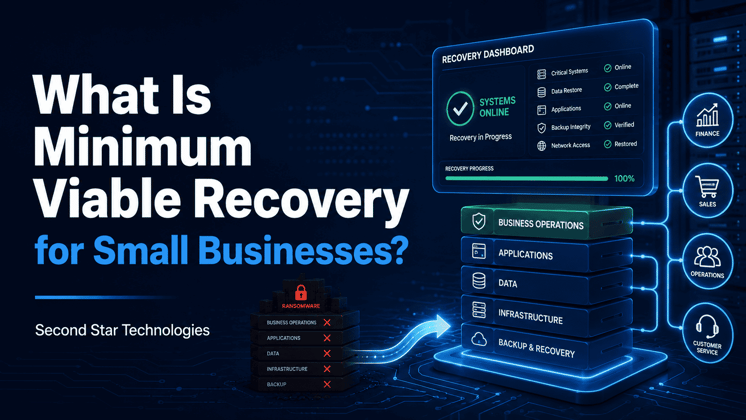
A ransomware recovery plan should not start with one goal: restore everything.
That sounds good on paper, but it can slow the recovery down when every hour matters. After a ransomware attack, the better question is simpler:
What does the business need to reopen tomorrow morning?
That is the idea behind Minimum Viable Recovery, or MVR. It is the smallest set of people, systems, data, and tools your business needs to start operating again after a cyberattack.
The goal is not full recovery on day one. The goal is to restore enough capability to serve customers, communicate, bill, schedule work, and keep revenue moving while the rest of the environment is rebuilt safely.
During ransomware recovery, everything feels urgent.
Every department wants its systems back. Every application seems important. Every missing file feels like a blocker.
But trying to restore everything at once usually creates more problems.
It can:
Minimum Viable Recovery gives the business a clear recovery order before the crisis happens.
Instead of asking IT to restore “all systems,” the business defines which operations must come back first. That matters because recovery priorities should not be based only on servers, applications, or backup jobs. They should be based on the work that keeps the company alive.
Minimum Viable Recovery is the smallest operational state your business can function in after a cyberattack.
That may include temporary tools, manual workarounds, cloud access, clean devices, restored files, or limited versions of key applications.
A business does not need every system to reopen.
It needs the right systems.
For many small businesses, that usually means restoring the tools needed to:
For example, a dental office may need phones, scheduling, patient records, payment processing, and email. A contractor may need phones, job management software, estimates, shared files, and accounting. A law firm may need email, case management, document access, calendars, and billing.
Different businesses have different minimums.
That is why the plan has to be built around business operations, not generic technology lists.
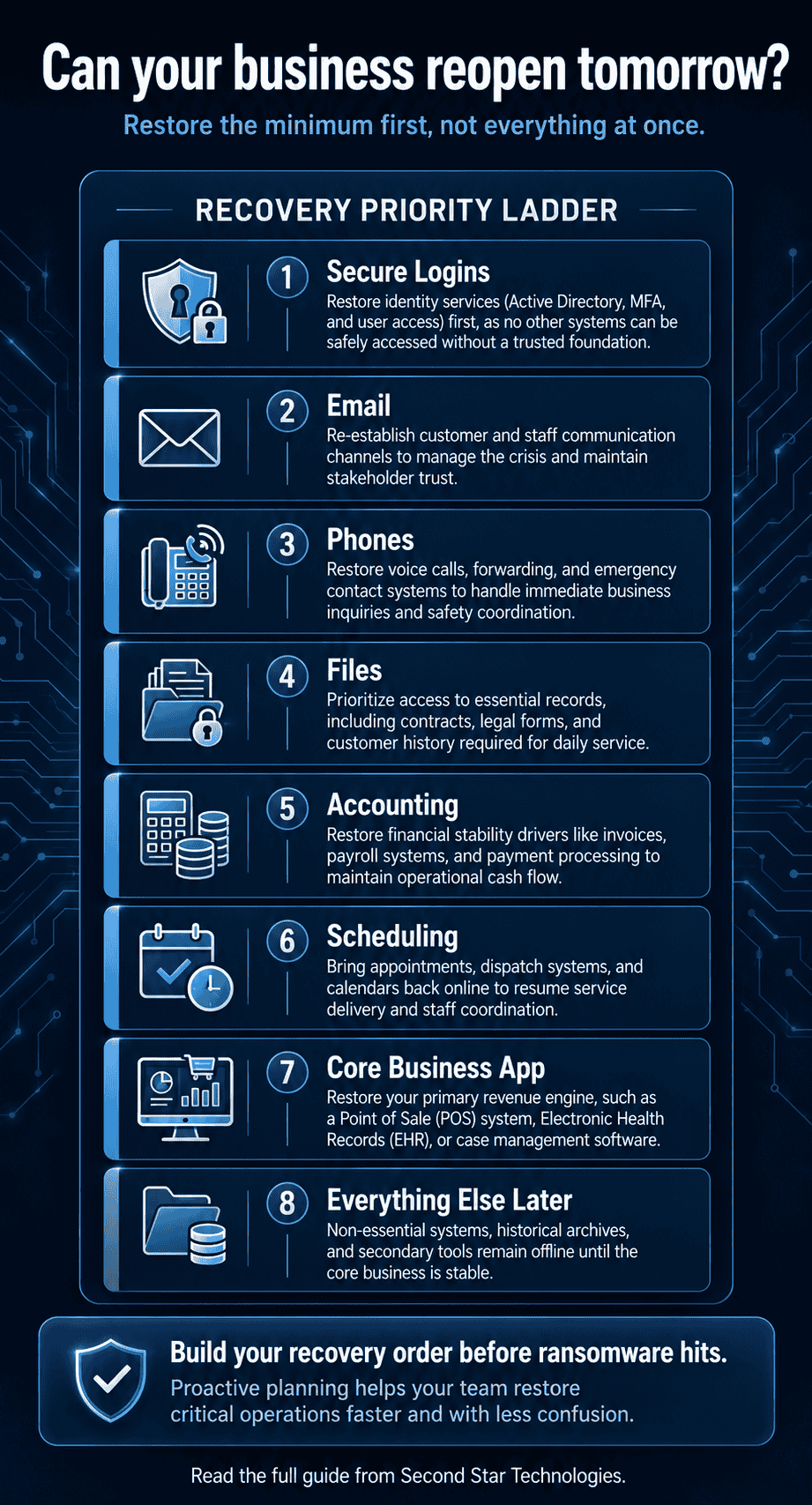
Every recovery plan should be tailored, but most small businesses depend on a similar group of systems.
Before employees can use restored systems, they need a safe way to log in.
That usually means restoring or rebuilding identity services such as Microsoft Entra ID, Active Directory, password management, and multi-factor authentication.
This step matters because ransomware attacks often involve stolen credentials.
If identity is still compromised, restoring business applications may simply give the attacker a path back in.
Email is often one of the first systems employees ask for because so much business communication depends on it.
Without email:
If email is cloud-based and still trusted, it may be available early. If it was compromised, access needs to be reviewed carefully before employees return to it.
Customers need a way to reach someone.
That may include:
Even a temporary communication plan is better than silence.
If your main phone system is down, customers still need to know whether you are open, how to reach you, and what to expect.
Most businesses rely on shared files every day.
Employees may need:
File access can come from restored file servers, cloud storage, clean backup exports, or temporary read-only access to key folders.
The point is not to restore every file first. The point is to identify which files are needed to restart the most important work.
A business still has financial obligations during a cyberattack.
It may need to:
If accounting is unavailable for weeks, the financial damage can grow fast.
For some businesses, accounting may not be the first system restored. But there should be a clear plan for how billing, payroll, and payment records will be handled if the main system is down.
Many small businesses cannot operate without scheduling.
This includes:
If scheduling is down, employees may not know where to go, who to call, or which customers need service first.
A recovery plan should include the main scheduling system, calendar access, and a backup method for managing appointments manually if needed.
Most businesses have one or two applications that directly support revenue.
Examples include:
| Business Type | Critical Application |
|---|---|
| Medical clinic | Electronic health record system |
| Law firm | Case management software |
| Contractor | Job management software |
| Retail store | Point-of-sale system |
| Manufacturer | Production scheduling system |
| Accounting firm | Tax software |
| Insurance agency | Agency management system |
These applications often become top recovery priorities because work slows down or stops without them.
But they also tend to have dependencies. The application may require identity, databases, file storage, internet access, licensing, DNS, or vendor support before it can function again.
Imagine a 25-person accounting firm hit by ransomware.
The firm may have dozens of systems, but it does not need all of them restored before it can restart basic operations.
A practical recovery order may look like this:
| Priority | System | Why It Matters |
|---|---|---|
| 1 | Identity and user logins | Employees need secure access to restored systems. |
| 2 | Staff need to communicate with clients and each other. | |
| 3 | Phones | Clients need a way to reach the firm. |
| 4 | Tax and accounting software | Revenue-producing work depends on it. |
| 5 | Shared file storage | Employees need client records and working files. |
| 6 | Calendars and scheduling | Staff need to manage deadlines and appointments. |
| 7 | CRM | Client follow-up and relationship tracking can resume. |
| 8 | Everything else | Lower-priority systems can wait until core work is restored. |
This is not full recovery.
It is enough recovery.
And during a ransomware event, enough recovery can be the difference between a business that reopens and one that stays stuck.
One of the biggest mistakes in recovery planning is starting with the technology.
A better starting point is the work.
Ask questions like:
Once you know which business activities matter most, then you can map the systems behind them.
For example:
| Business Activity | Systems Needed |
|---|---|
| Answer customer calls | Phones, call routing, contact list |
| Send invoices | Accounting software, customer records, email |
| Schedule service | Calendar, dispatch software, phones |
| Access client work | File storage, identity, endpoint devices |
| Process payments | Payment system, internet access, accounting records |
This keeps the recovery plan focused on business outcomes.
It also helps avoid a common trap: restoring a server that looks important to IT but does not help the business reopen.
A system may look simple from the outside, but it often depends on several other services.
For example, accounting software may depend on:
Restoring the accounting application alone may not help if users cannot log in, reach the database, or access the files connected to it.
That is why dependency mapping matters.
Your recovery plan should document what each critical system needs in order to work. This includes technical dependencies, vendor dependencies, and people dependencies.
A Minimum Viable Recovery plan does not need to be complicated.
Start with a simple checklist.
For each critical system, document:
This checklist gives your team a recovery order before ransomware hits.
That matters because decisions made during a crisis are usually slower, harder, and more emotional. A clear plan helps the business avoid guessing when pressure is high.
Not every recovery step has to be technical.
Sometimes the best short-term recovery option is a manual process.
Examples include:
Manual workarounds are not ideal.
But they can keep the business moving while systems are being restored.
A strong ransomware recovery plan should include both technical recovery and practical backup procedures employees can actually follow.
Minimum Viable Recovery is the first operating target.
Full recovery comes later.
That distinction matters.
MVR focuses on the systems needed to reopen safely. Full recovery focuses on rebuilding the entire environment, restoring lower-priority systems, improving security, validating data, and returning to normal operations.
The first phase is about survival.
The later phase is about completeness.
Trying to combine both phases can slow everything down.
A small business ransomware recovery plan should not start with restoring every system.
It should start with defining the smallest version of the business that can still operate.
For many companies, that means restoring secure logins, email, phones, file access, accounting, scheduling, and the line-of-business applications that drive revenue.
The work should happen before an incident, not during one. When the recovery order is already defined, your team can move faster, make better decisions, and focus on the systems that matter most.
Minimum Viable Recovery does not make a cyberattack painless.
But it gives the business a practical path back to work.
Amazon Web Services. (2025). Resilience by design: Building an effective ransomware recovery strategy. https://aws.amazon.com/blogs/storage/resilience-by-design-building-an-effective-ransomware-recovery-strategy/
SafeHouse Initiative. (2025). MVC blueprints before backups: Building your modern recovery model. https://safehouseinitiative.org/mvc-blueprints-before-backups-building-your-modern-recovery-model/
Veeam Software. (2025). Cyber resilience through minimum viable business and company. https://www.veeam.com/blog/minimum-viable-business-and-company-cyber-resilience.html
Wang, X., Kanhere, S. S., & Hossain, M. S. (2026). From backup restoration to minimum viable factory recovery: A systematization of ransomware recovery in manufacturing systems. arXiv. https://arxiv.org/abs/2605.16167
Leave a Comment